How to resolve message: Your agency blocks you from requesting a contract.
How to resolve message: Your agency blocks you from requesting a contract.

Learn how to solve "your agency blocks you from requesting a contract" message.
Why do users receive the following message?
This is caused by a specific agency setting. As per the message connect with your agency for a better understanding of why they have this configuration set up.
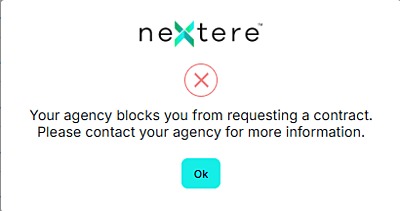

Alert: If you are not the agency principal, stop here. If you are an agency/principal who has this configuration by mistake and want to remove it, follow the steps below.
On the upper right corner click on your profile.
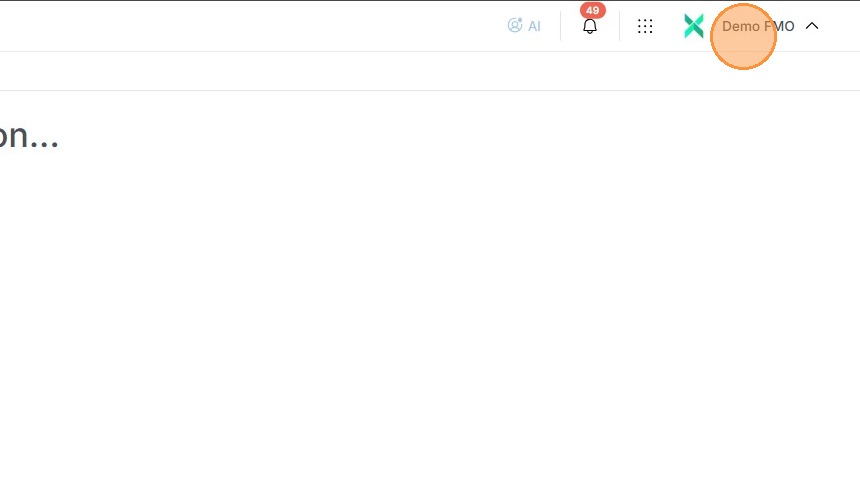
In the drop down click on the "Agency Profile".
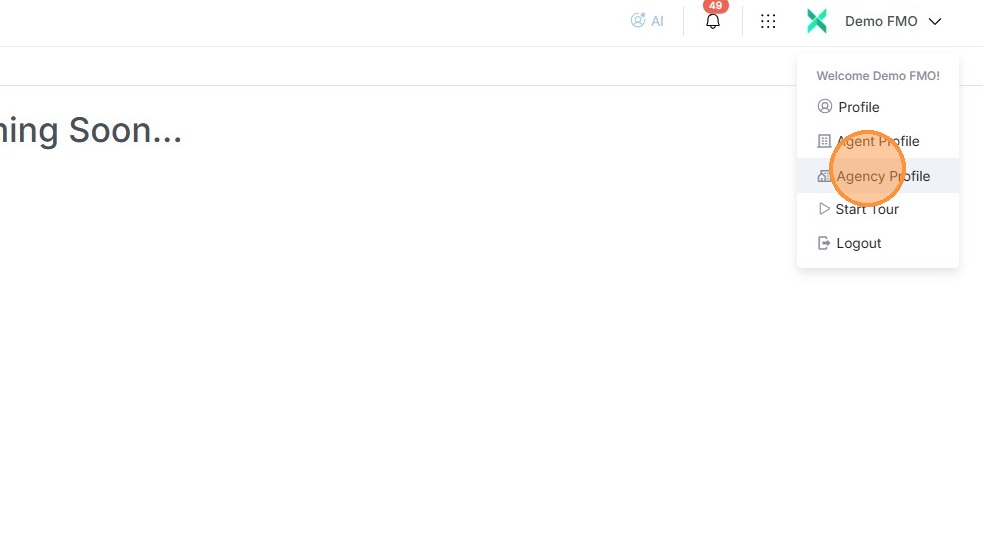
In the "Agency Profile" click on "Agency Configuration".
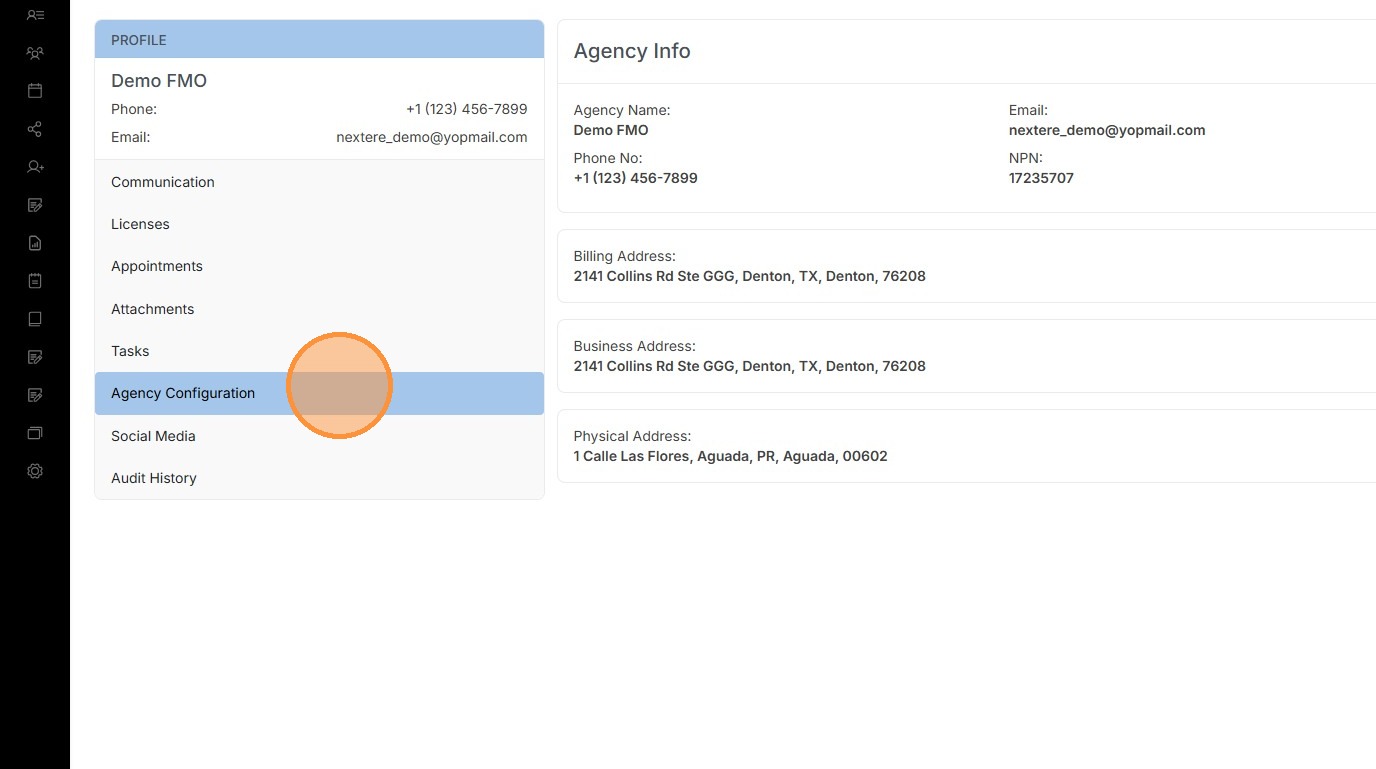
The specific configuration that is connected to the message is "Block Agents from Contracting".
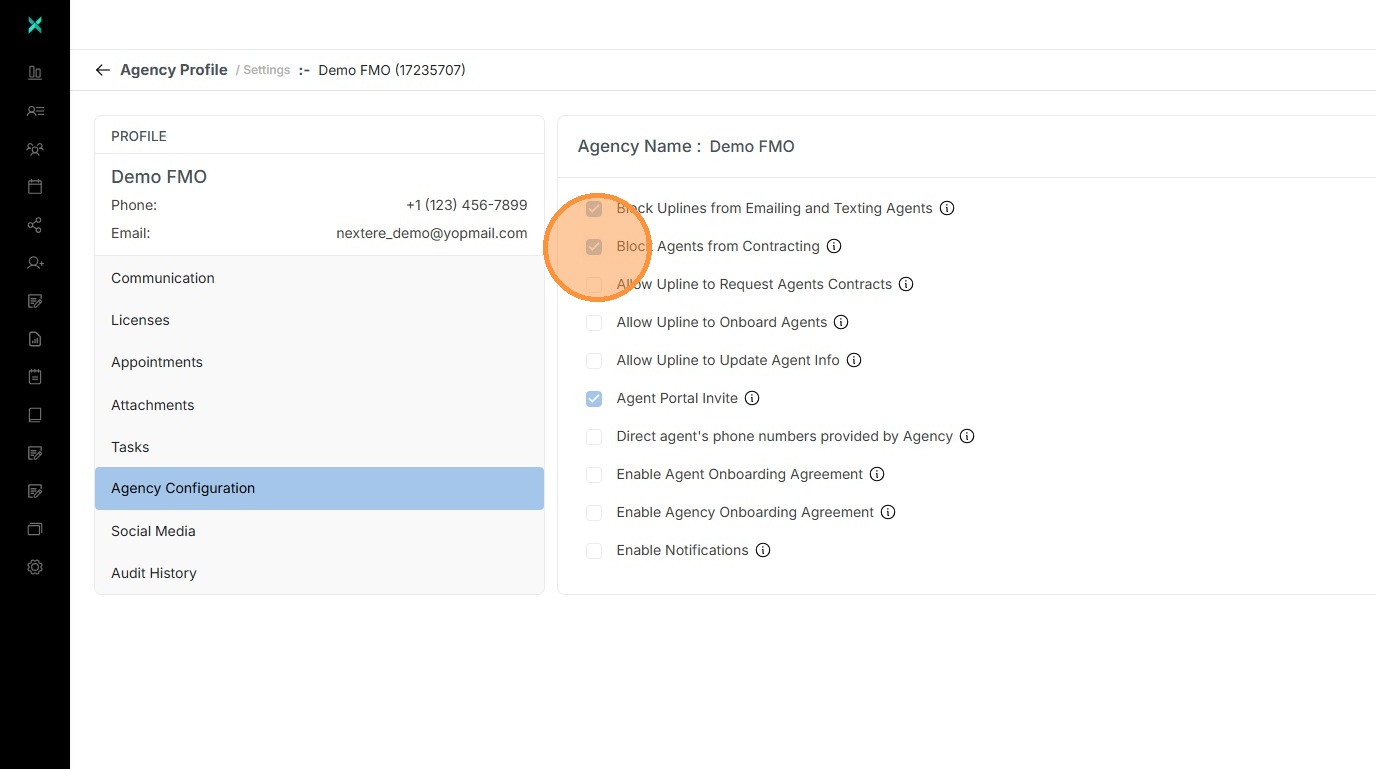
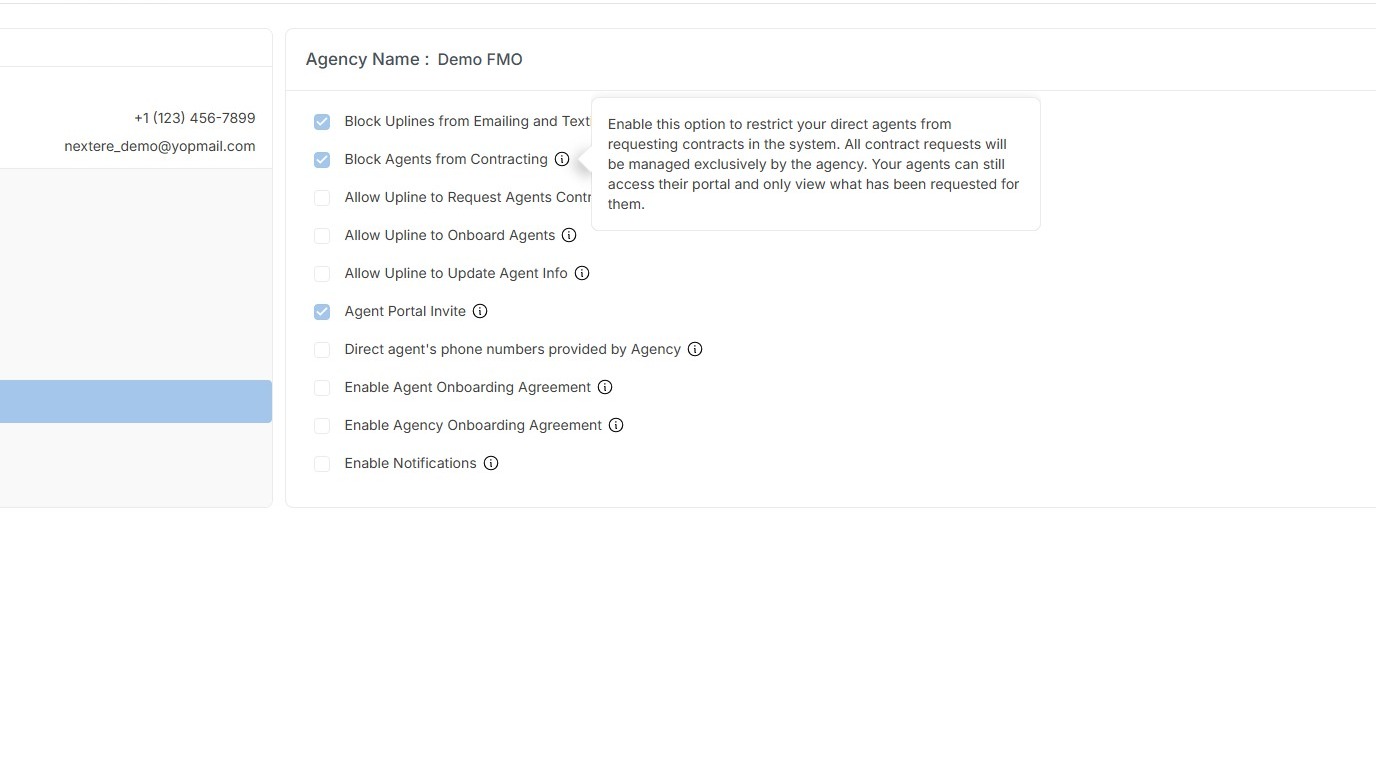
The specific effect of the configuration is the following:
"Enable this option to restrict your direct agents from requesting contracts in the system. All contract requests will be managed exclusively by the agency. Your agents can still access their protal and only view what have been requested for them."
If you want to deactivate the configuration, uncheck the box.
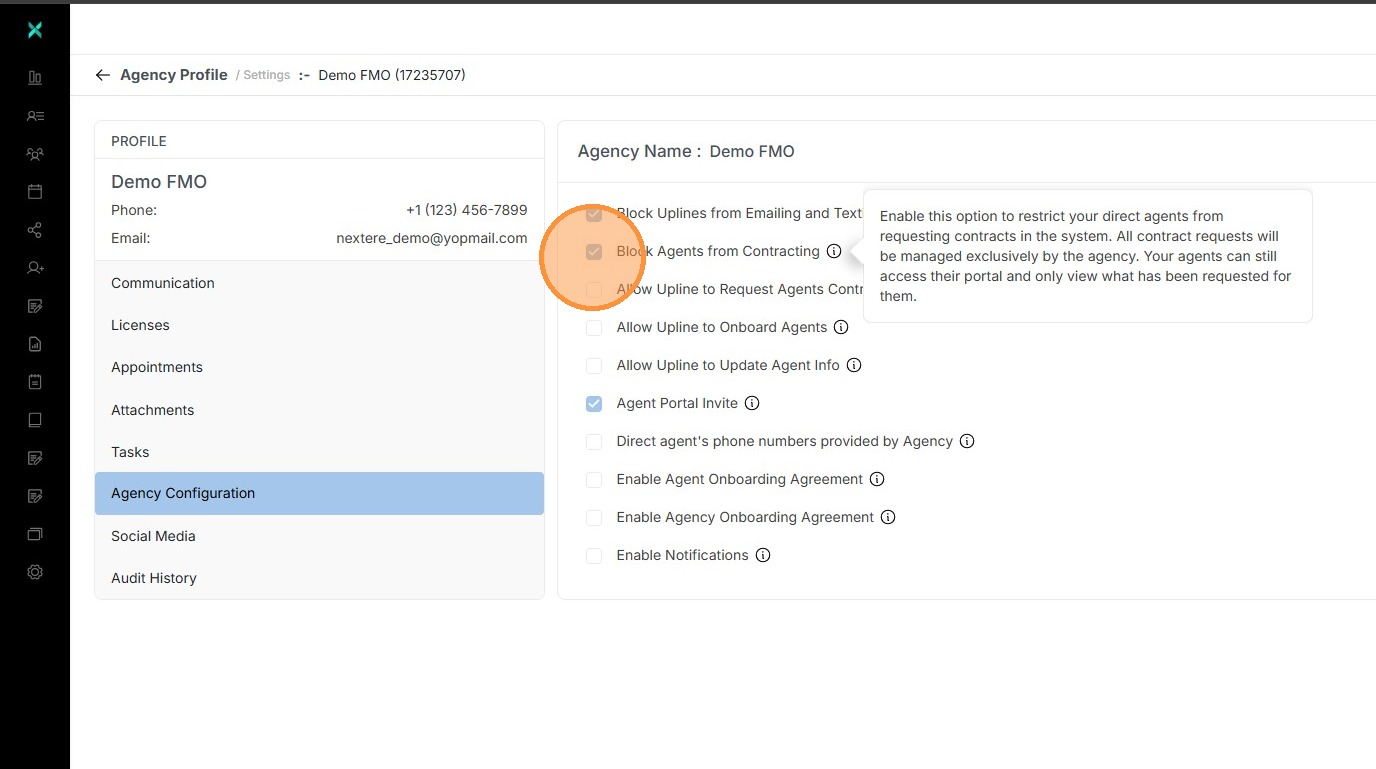
Alert: Once unchecked all agents under the agency will be able to request their own contracts.
Related Articles
How to resolve message: Agency that connect with Agent does not allow you to create Request Agent's Contract
How to resolve message: Agency that connect with Agent does not allow you to create Request Agent's Contract Learn how to solve "Agency that connect with Agent does not allow you to create Request Agent's Contract" message. Why do users receive the ...How to submit a contract request at Agency Staff Level
Submitting a Contract Request (Agency Staff Level) Introduction As an Agency Staff member, you have the authority to manage contracting on behalf of your agents. This guide explains how to submit individual contract requests, whether you are ...How to process multiple agencies in Central
How to process multiple agencies in Central (Bulk Import) Introduction The Bulk Import feature allows Agency Administrators to upload multiple agencies simultaneously using a standardized Excel template. Use this feature to save time when onboarding ...Enabling Upline Contract Requests for Downline Agents
How can uplines request contracts for their downline agents? If the upline does not have the option to choose their downline agencies when requesting contracts, following this guide will help them. 1. Click the Account Name on the upper right corner ...Cómo resolver el mensaje: Su agencia le bloquea para solicitar un contrato.
Cómo resolver el mensaje: Su agencia le bloquea para solicitar un contrato. Aprende cómo resolver el mensaje 'tu agencia te bloquea para solicitar un contrato'. ¿Por qué los usuarios reciben el siguiente mensaje? Esto es causado por una configuración ...