How do I submit multiple claims?
How do I submit multiple claims?

This guide shows how to quickly submit multiple commission claims at once by using the Import (bulk upload) form.
1. Go to https://commission.nextere.com/
Account Authentication
2. Sign in with your Nextere account.

Claims Management
3. On the left, select "Claims" from the sidebar menu.

Bulk Upload Configuration
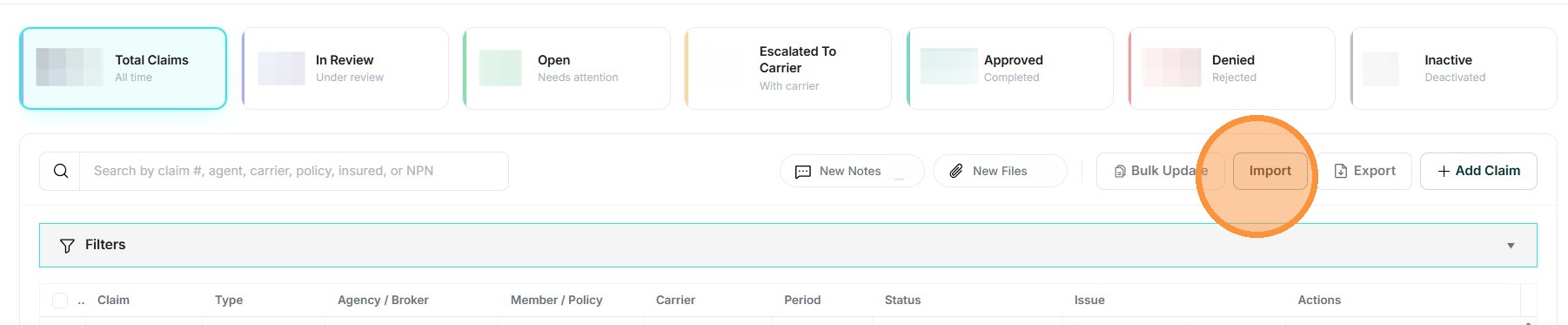
4. Click "Import" button to open bulk upload form.
5. The user would download the sample excel which can be found under "Select files...". Specifically, "(Sample bulk commission claim file)" needs to be clicked on by the user, to download the file.
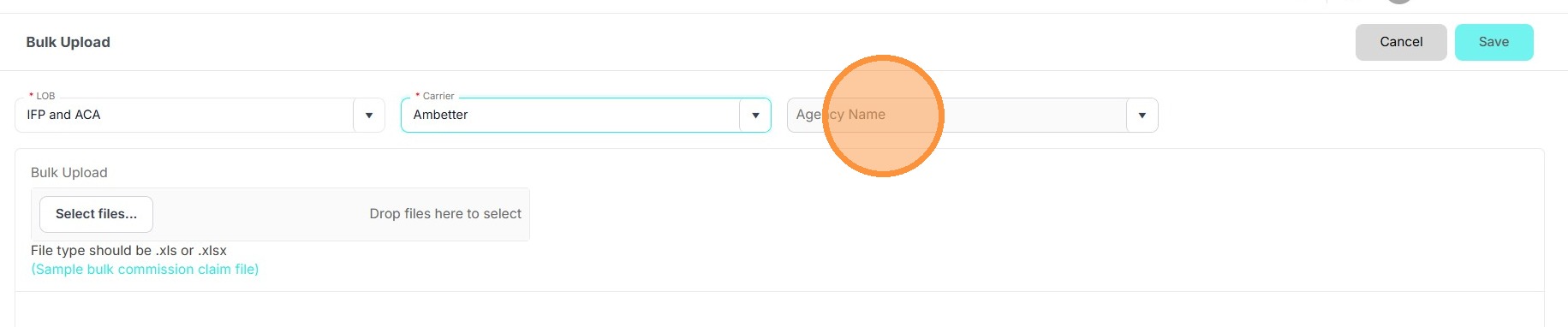
6. Choose the LOB (Line of Business).

7. Choose the Carrier.

8. Choose the agency.
9. Click "Select files..."
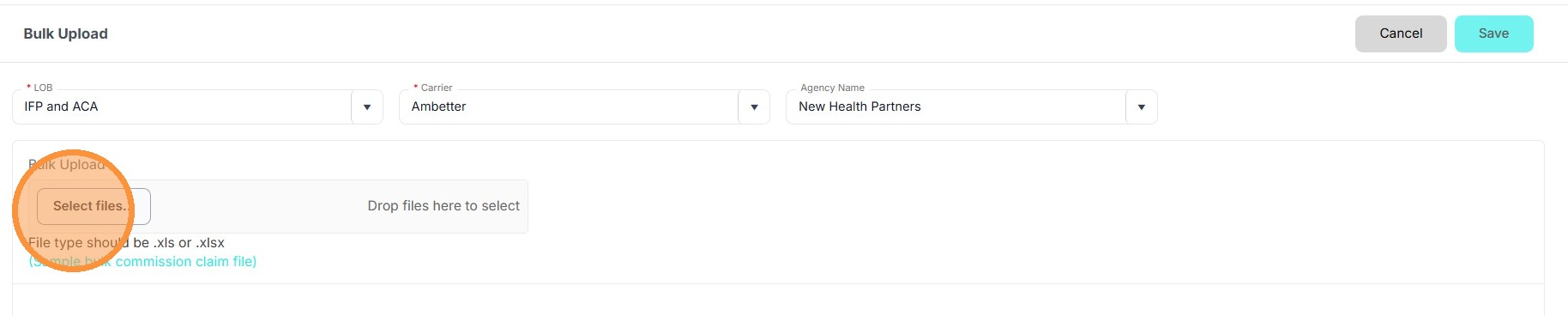

Tip: Make sure that the file submitted are records for the correct LOB and Carrier selected.
10. Click "Save" to finalize bulk upload.
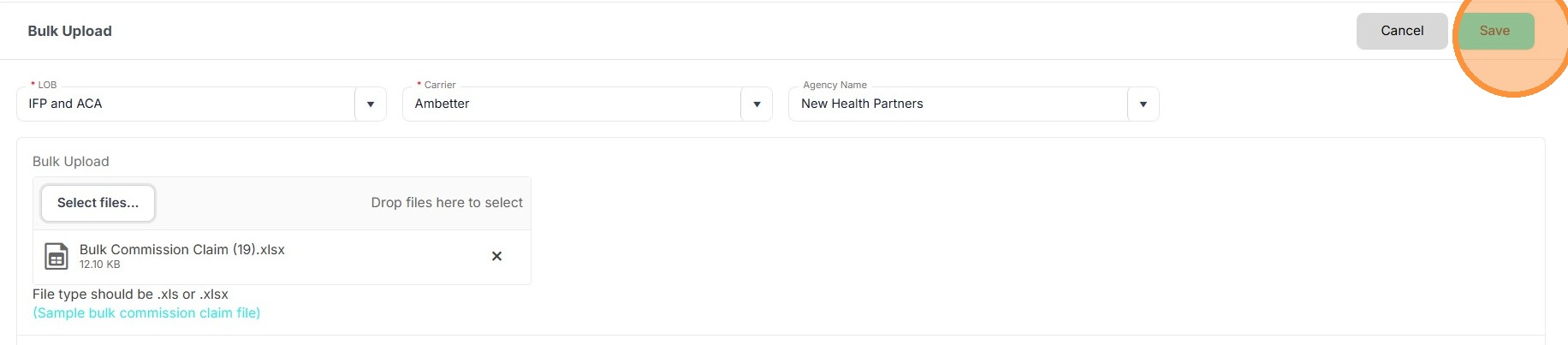

Provide 2 - 4 business days for the Commission Claim team to review and provide an update on your claims.
Related Articles
How do I submit a single claim?
How do I submit a single claim? This guide explains how to submit individual claims. User Authentication 1. Go to https://commission.nextere.com/ 2. Sign in with your Nextere account. Claims Navigation 3. On the left, select "Claims" from the sidebar ...How do I send a note and attachment in the claim?
How do I send a note and attachment in the claim? This guide shows how to quickly add contextual notes and upload supporting documents directly to a claim so the Commission Team can review and respond. Claim Note Access 1. Navigate to the Claims ...