How do I send a note and attachment in the claim?
How do I send a note and attachment in the claim?

This guide shows how to quickly add contextual notes and upload supporting documents directly to a claim so the Commission Team can review and respond.
Claim Note Access
1. Navigate to the Claims section in the sidebar.
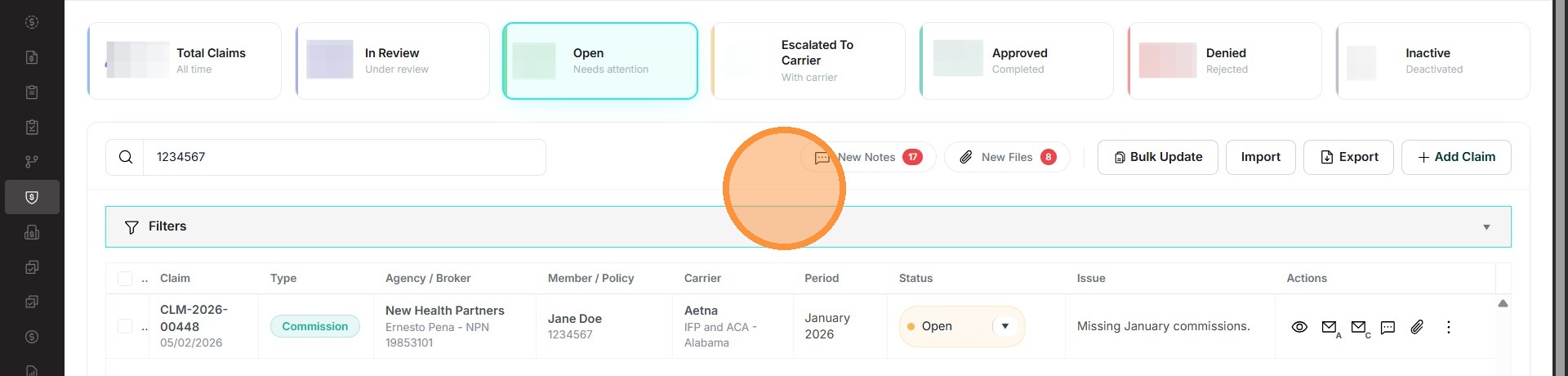
2. Click the Notes icon for the specific claim.
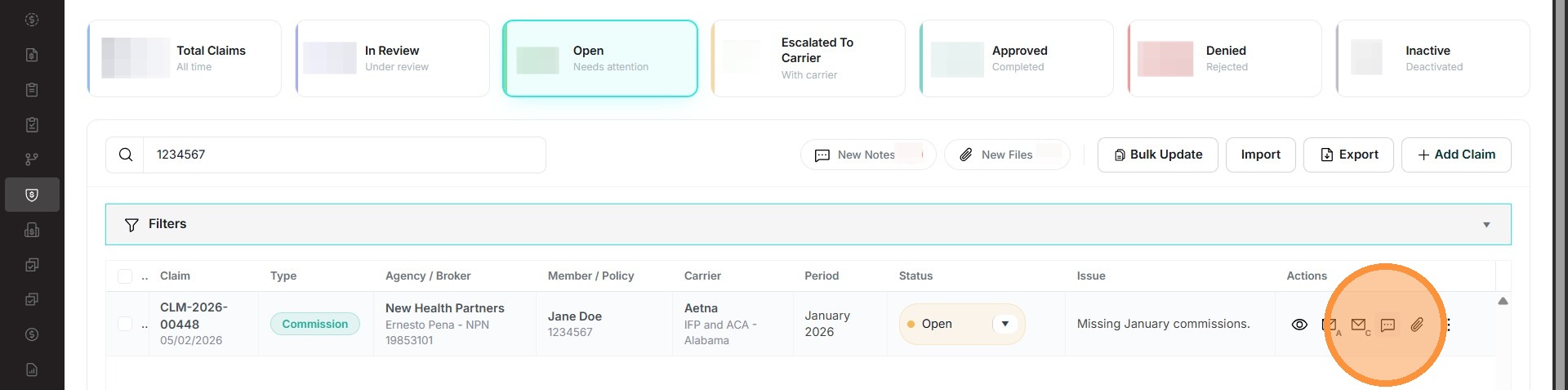
Note Submission
3. The user can enter the title of the note, the reason for the note, add any necessary documents that are needed and set the visibility.
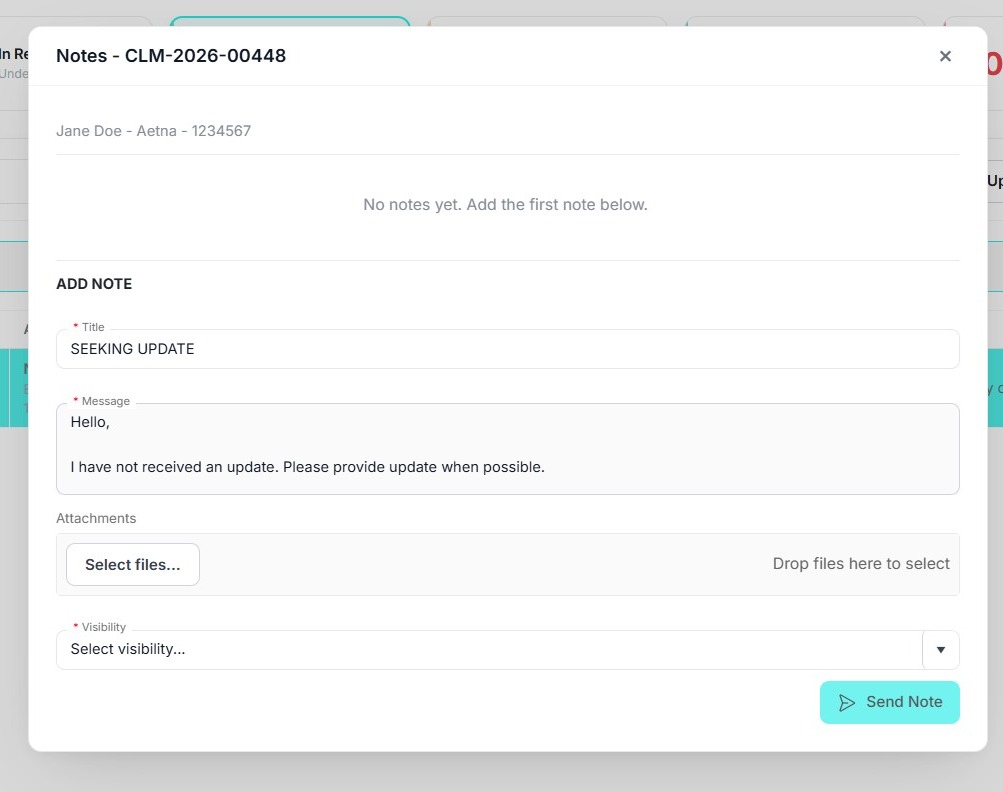
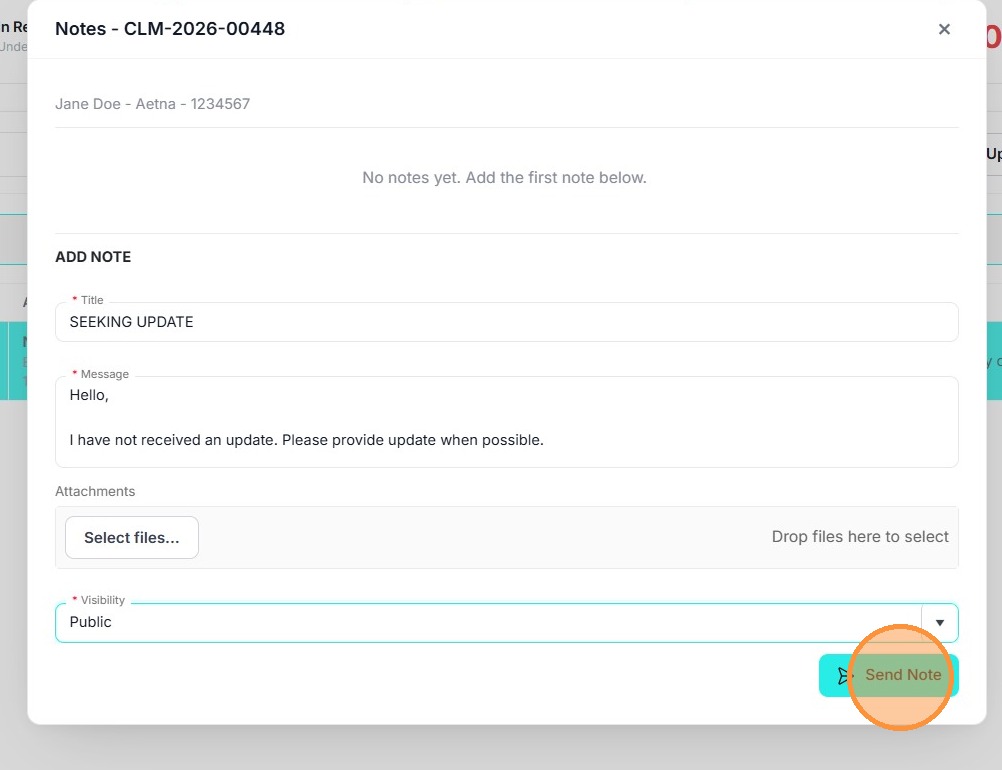
4. Click "Send Note". The note will appear above, and the Commission Team will be able to respond in this same manner.
Claim Attachments
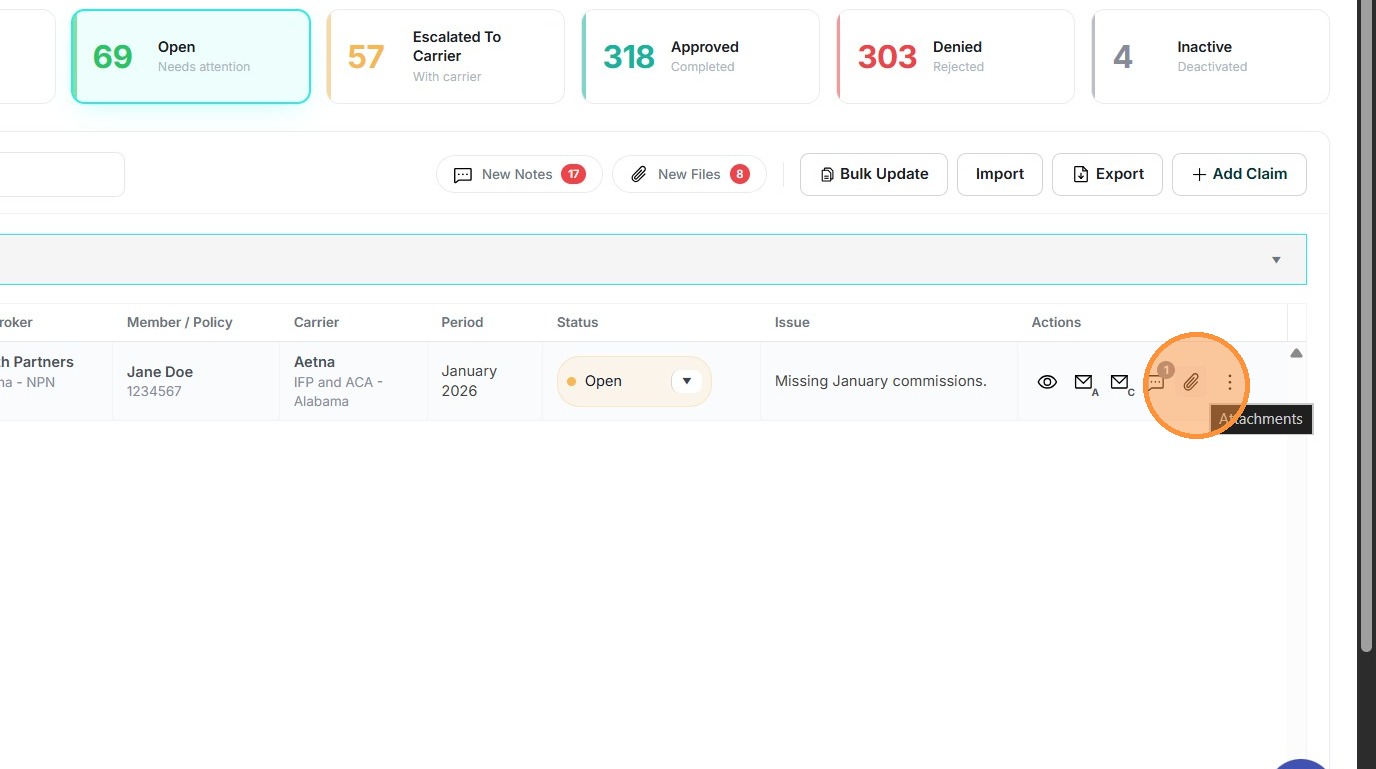
5. If the user needs to add an attachment, they can click the Attachments icon on the claim record.
6. Click "Upload File".
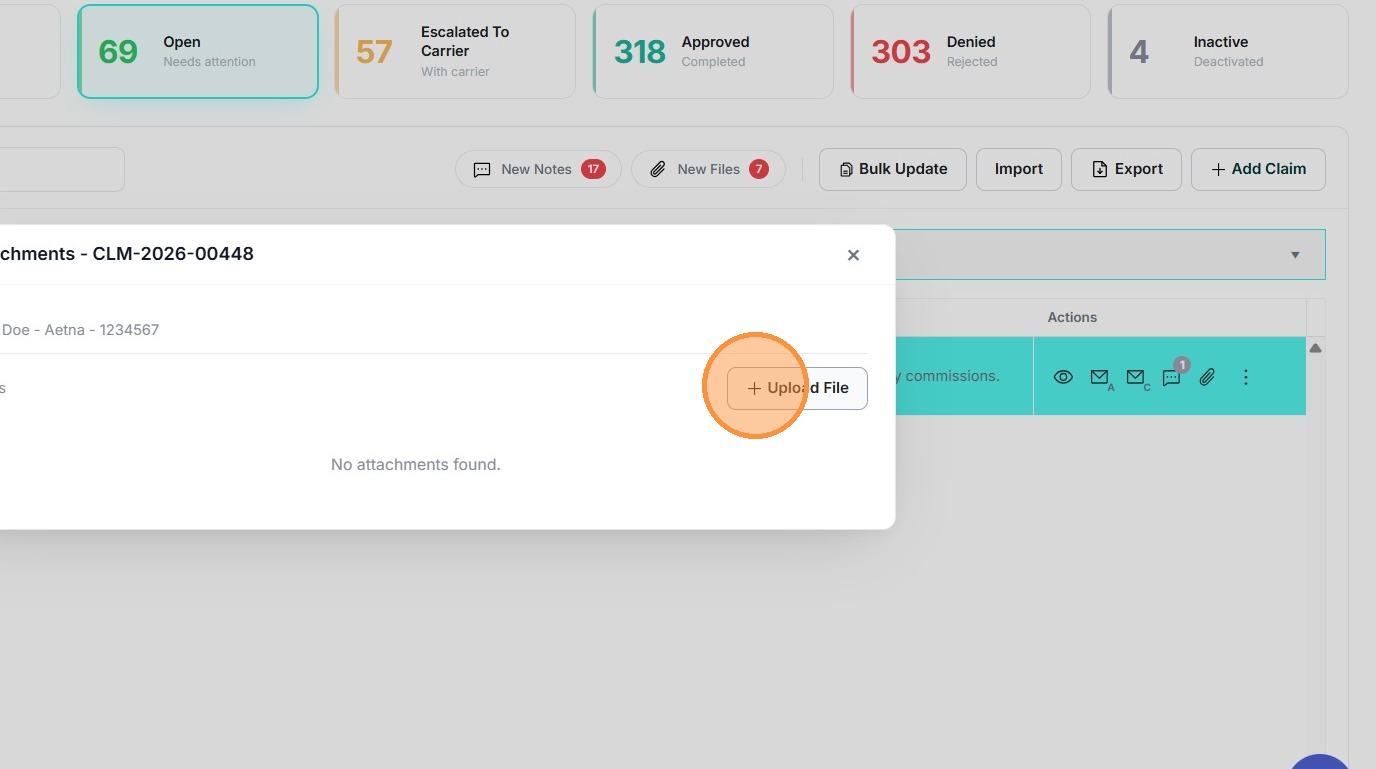
7. The file will be uploaded, and the Commission Claim Team will be able to receive the document.
Related Articles
How do I submit multiple claims?
How do I submit multiple claims? This guide shows how to quickly submit multiple commission claims at once by using the Import (bulk upload) form. 1. Go to https://commission.nextere.com/ Account Authentication 2. Sign in with your Nextere account. ...How do I submit a single claim?
How do I submit a single claim? This guide explains how to submit individual claims. User Authentication 1. Go to https://commission.nextere.com/ 2. Sign in with your Nextere account. Claims Navigation 3. On the left, select "Claims" from the sidebar ...